
A What2Pack app for troop leaders
Rank advancement, signed off at the campout.
See what every scout still needs, sign requirements off at the campout, and send the advancement coordinator one clean report. The same Advancement screen is built into the Trailsign app.
For iPhone and iPad · Free
Load your troop
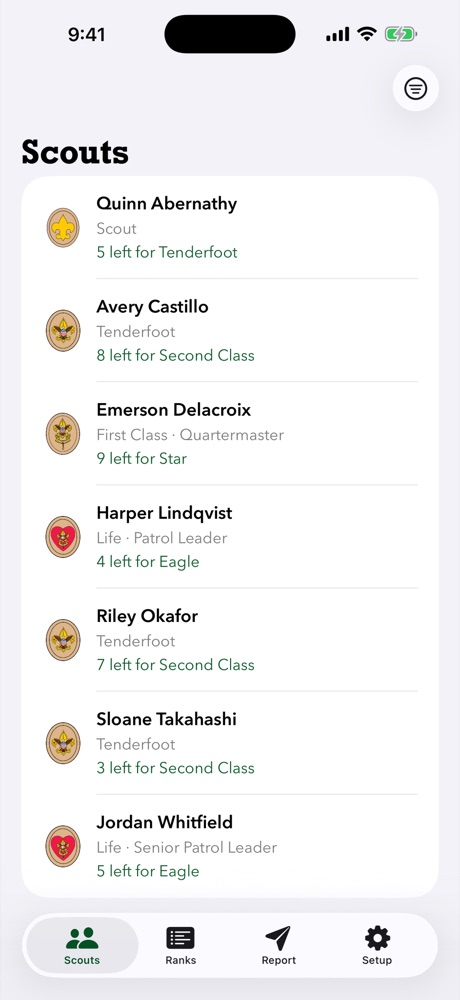
Load the Individual Advancement Record from Scoutbook, or sign in and your units come down by themselves.
See what’s left
Every scout, their current rank, and how many requirements stand between them and the next one, plus merit badge progress and which Eagle-required badges to work on next.
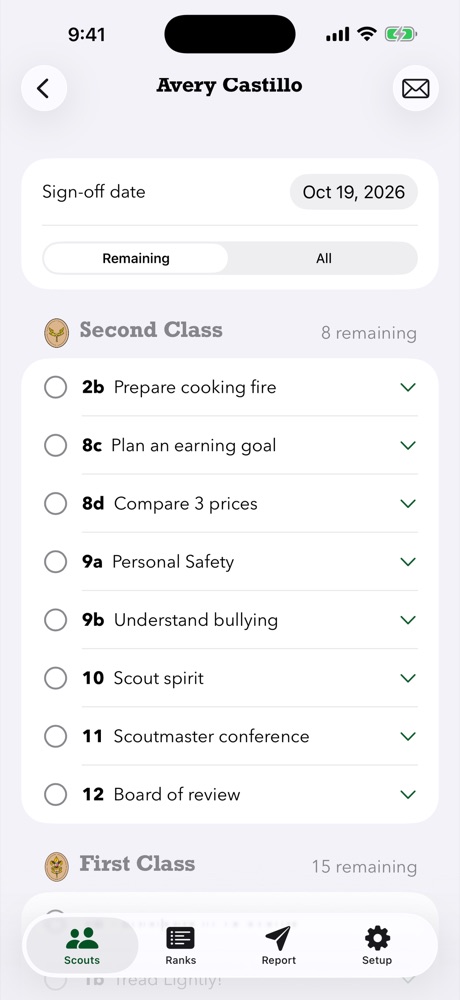
Plan by rank
Pick a rank and see each open requirement with the scouts who still need it, sorted by who needs it most.
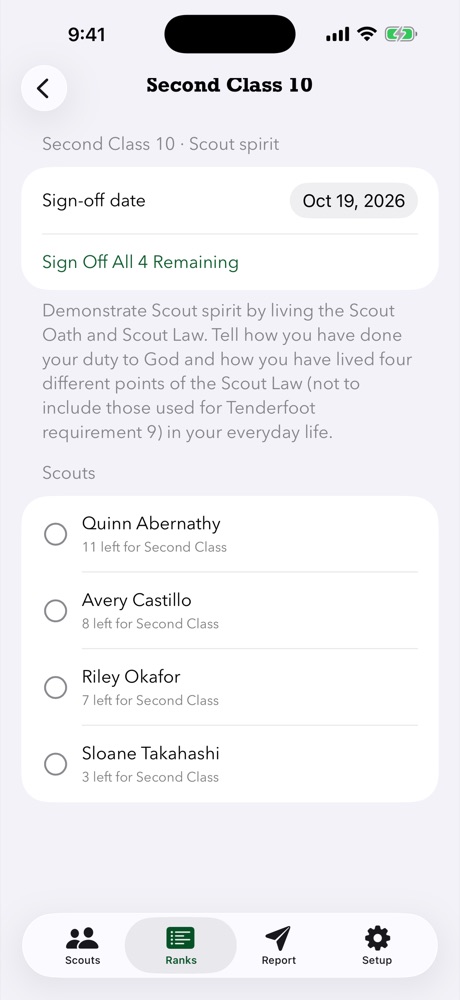
Sign off and report
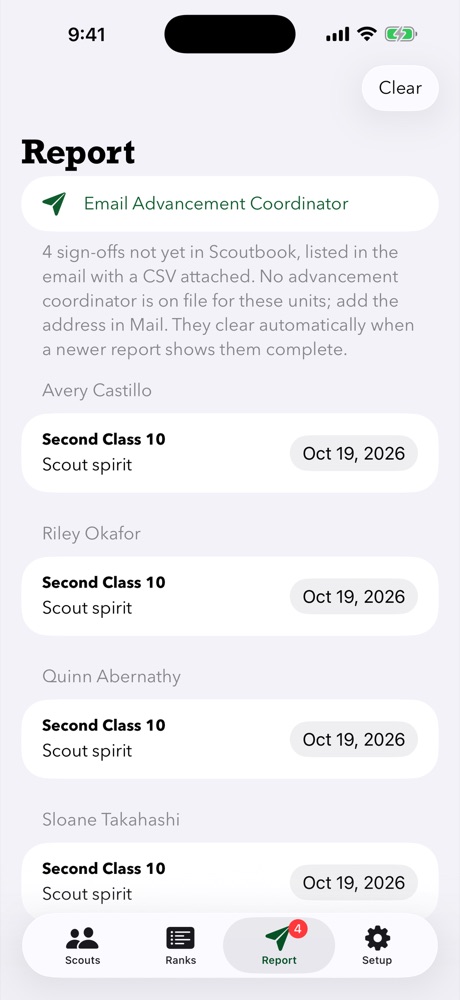
Sign off a whole group at once after the campout, or back-date a sign-off. One tap emails the advancement coordinator the list, with a CSV attached.
Checklists for families
Email a scout and their parents a PDF checklist of what’s left, for one rank or all of them.
Views for everyone
Leaders see the whole unit. Parents see their own scouts, and scouts see their own record, read-only.
Works at the campsite, with no signal.
Everything stays on your device. Signoff only talks to What2Pack, your troop’s own planning site, and only when you’re signed in. No ads, no analytics, no tracking.
Getting started
- Install Signoff on your iPhone or iPad.
- Load your troop from a Scoutbook advancement report, or sign in and your units load on their own.
- Just looking? Tap Try a Sample Troop on the welcome screen. It loads a made-up troop with no sign-in, and every feature works.
- Sign off at the campout with or without signal, then send the advancement coordinator the report from the Report tab.
Signoff is built for Scouts BSA troops. It doesn’t cover Cub Scout adventures.